

Overview
You can set a PTR (reverse DNS) record for your server’s IP addresses directly from the Ascienth console. Reverse DNS maps an IP address back to a hostname. Mail servers commonly check that this hostname resolves back to the same IP address.Creating a Record
1
Open the Reverse DNS settings
Open your server, click the “Settings” tab, then “Reverse DNS”. Pick the address you want to set from the 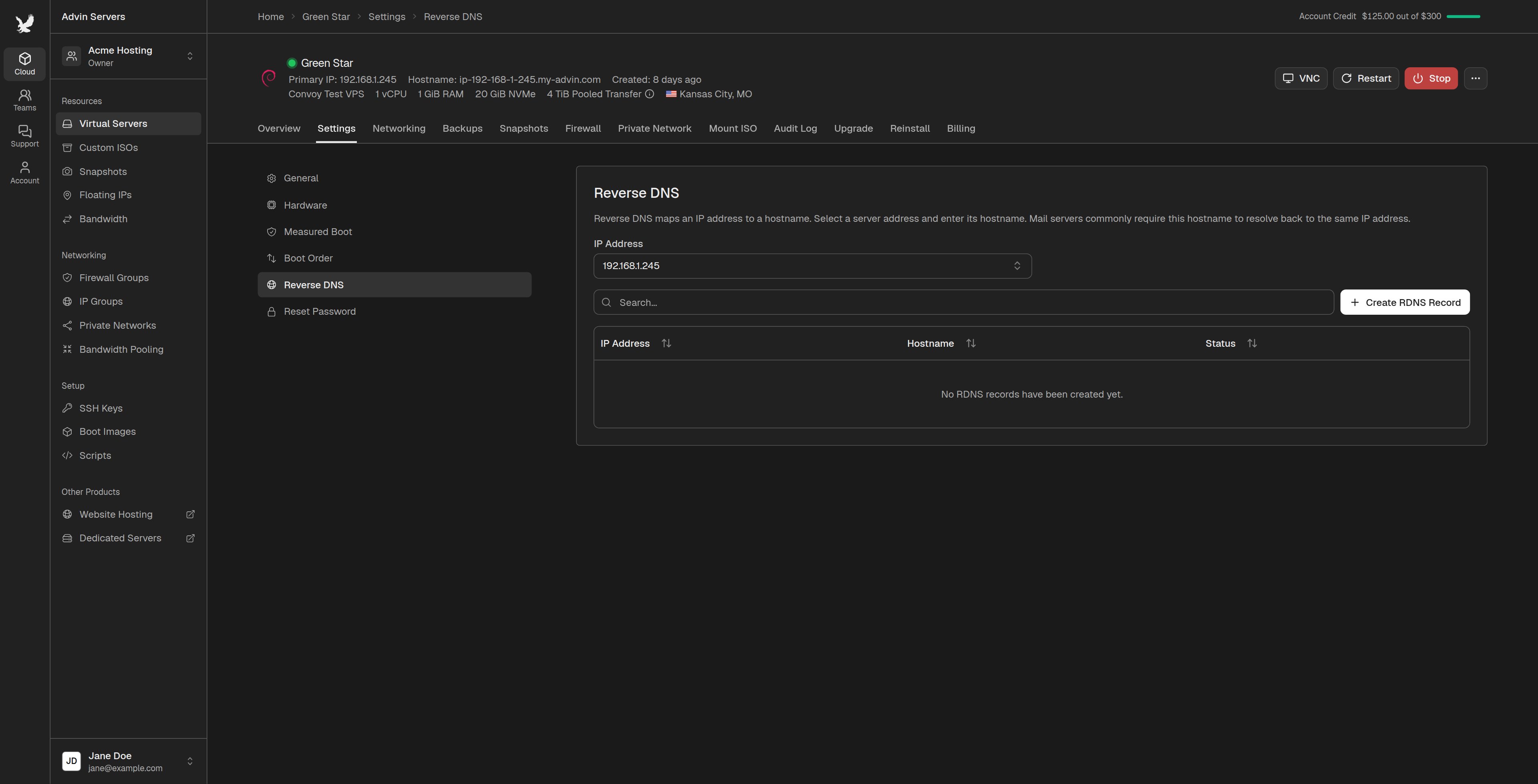
IP Address menu.2
Create the record
Click 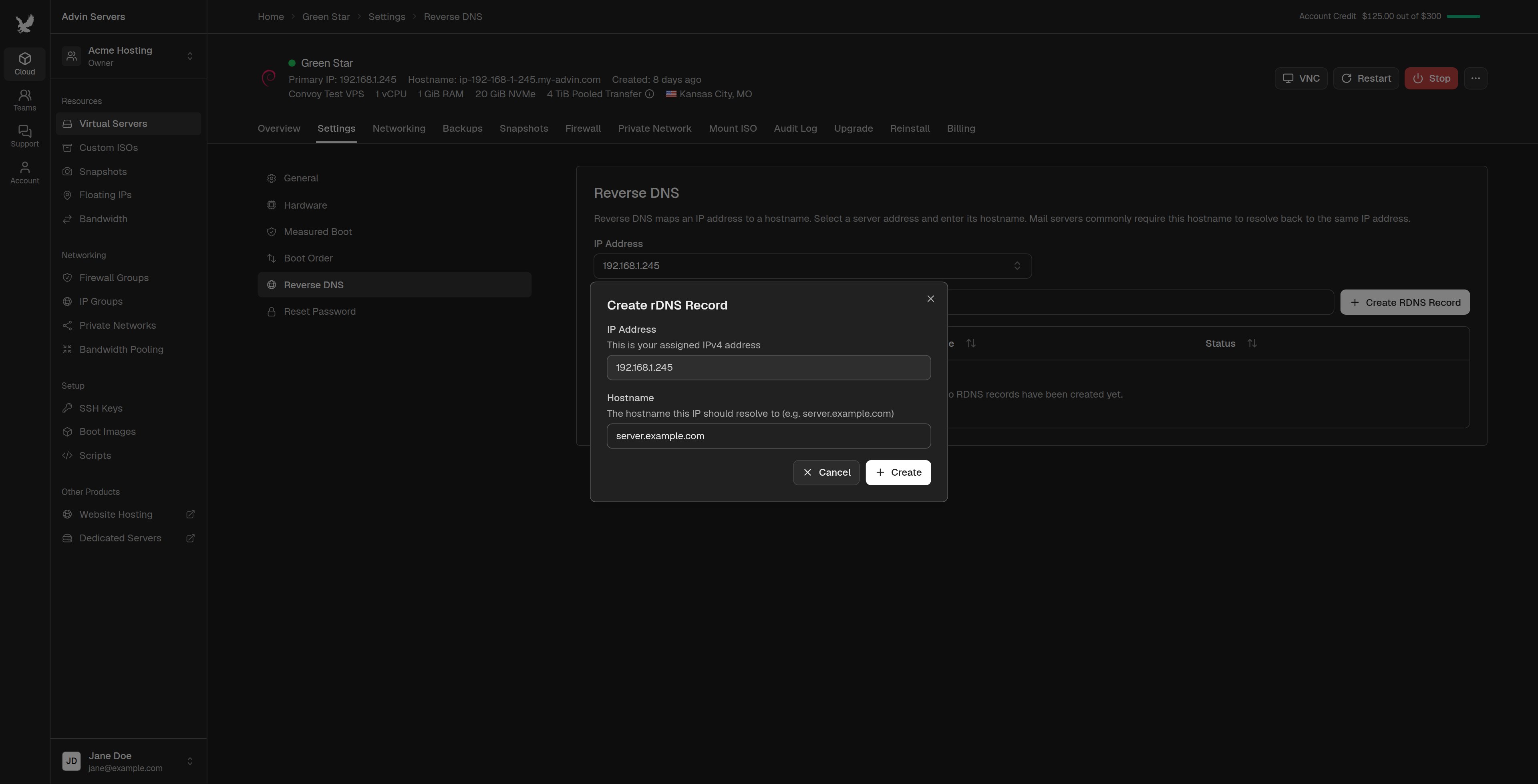
Create RDNS Record, enter the hostname in Hostname (for example server.example.com), and click Create.For an IPv6 subnet, also type the address from your subnet that the record is for in IP Address.